Variable fonts in FontLab 8
Variable fonts pack an entire type family into one file, letting users slide continuously between weights, widths, and other axes rather than jumping between predetermined styles. FontLab 8 treats variable font creation as a first-class workflow, not a post-production step. Here’s what the “Families & variation” chapter of the What’s New documentation covers.
Building from static fonts
If you already have several static weights, you don’t need to rebuild from scratch to make a variable font.
Select multiple static fonts in the Fonts panel (Shift-click to select more than one), then choose Fonts > Merge Fonts to Masters. FontLab creates a new multi-master font with each source as a master. If the sources differ in weight or width, FontLab builds the variation axes and assigns design coordinates. Mask layers carry over.
To add a new master to an existing project: Font > Add Variation adds a duplicate master and a new axis. From FontLab 8.3, you can specify an action set to run on the new master immediately — useful for automatically generating a condensed or bold variant from the regular.
Variable components
The most significant addition to FontLab 8’s variation workflow is variable components — components that reference not a static glyph, but an interpolated instance of a glyph at a specific location on the variation axes.
Design a lowercase ‘o’ with weight variation. Then build ‘c’, ‘e’, ‘G’, and ‘Q’ as variable components referencing ‘o’ at specific positions. Adjust the ‘o’ master and all those letters update. Each component can be placed at a different axis position — the ‘c’ might reference a slightly lighter interpolation of ‘o’ than the ‘G’, giving per-glyph weight compensation without manual drawing.
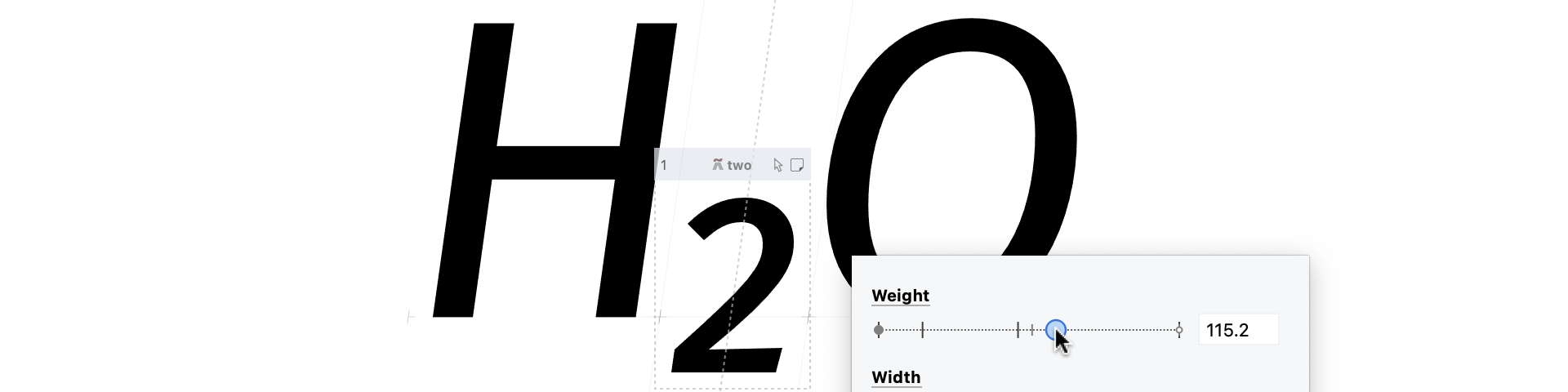
Variable components are adjusted with sliders in the Glyph window. No code, no special panel.
Contour compatibility
For interpolation to work, all masters of a glyph must have the same number of contours, points, and components in the same order. This is the main technical challenge of variable font production.
Match when Editing propagates contour operations — set start point, reverse contour — to all matching masters automatically. The Matchmaker tool visualizes which nodes correspond between masters, color-coding matched and unmatched points. If masters are incompatible, Matchmaker shows where the divergence happens so you can re-establish correspondence manually.
Group layers in the layers panel organizes masters by family relationship. Master cousins shows all masters simultaneously as colored wireframes in the Glyph window — draw with one master active while seeing the others as context.
Intermediate masters and axis mapping
Standard variable font interpolation is linear. If your design curve isn’t — a bold typically needs more weight change near the light end than near the dark — you have two options.
Intermediate masters add a master at a specific axis position. FontLab exports these as intermediate glyph masters in the variable font, giving you non-linear interpolation without avar.
The Axis Graph maps your internal design coordinates to the user-facing coordinates in the variable font (the avar table). A curved mapping means users see a perceptually even weight ramp even when the design space isn’t linearly distributed.
Conditional glyph substitutions
Variable fonts can swap glyphs at axis boundaries — switching to a different ‘a’ design above a certain weight, for example. FontLab 8 implements this with tilde glyph tags: name a glyph a~wt>850 and FontLab exports an rvrn rule substituting it for ‘a’ when the weight axis exceeds 850. This handles design decisions that can’t be interpolated, like switching from a two-story to a one-story ‘a’ at a specific weight threshold.
Full documentation is in the FontLab 8 What’s New: Families & variation.