TransType, the converter that outlived the format

Digital formats rarely retire on their own. New ones arrive, the world picks them up, and the older format is gradually sunsetted by the companies that built it. PostScript Type 1 followed exactly that arc, and TransType 4 has been the friendly moving van ever since — keeping the typefaces inside those old files alive on modern systems.
The format that refused to leave on schedule
PostScript Type 1 arrived in 1985 and ran professional print for the better part of two decades. Foundries built businesses on it. Studios curated libraries of it. Then OpenType arrived with proper Unicode and bigger character sets, and the slow handover began.
The handover stopped being slow in January 2023, when Adobe pulled Type 1 support from Creative Cloud. Apple mirrored the move on macOS shortly after. Fonts that had loaded in Illustrator on Monday refused to load on Tuesday. A whole class of files was bricked overnight, and the deadline, naturally, was Wednesday.
The technical reasons Type 1 lost are well rehearsed. Each file maxed out at 256 glyphs, so a single family was usually scattered across half a dozen files — basic set, expert fractions, small caps, old-style figures, each one its own brittle little parcel. Naming was chaotic. Cross-platform behaviour was unreliable. OpenType fixed all of that and bolted on a proper layout engine.
What got lost in the handover was hand-tuned data. Years of careful kerning. Style links that lined up with how a designer actually used the family. Naming that matched the printed specimen. Throwing the fonts away meant throwing that work away too.
What TransType does, and what it pointedly does not
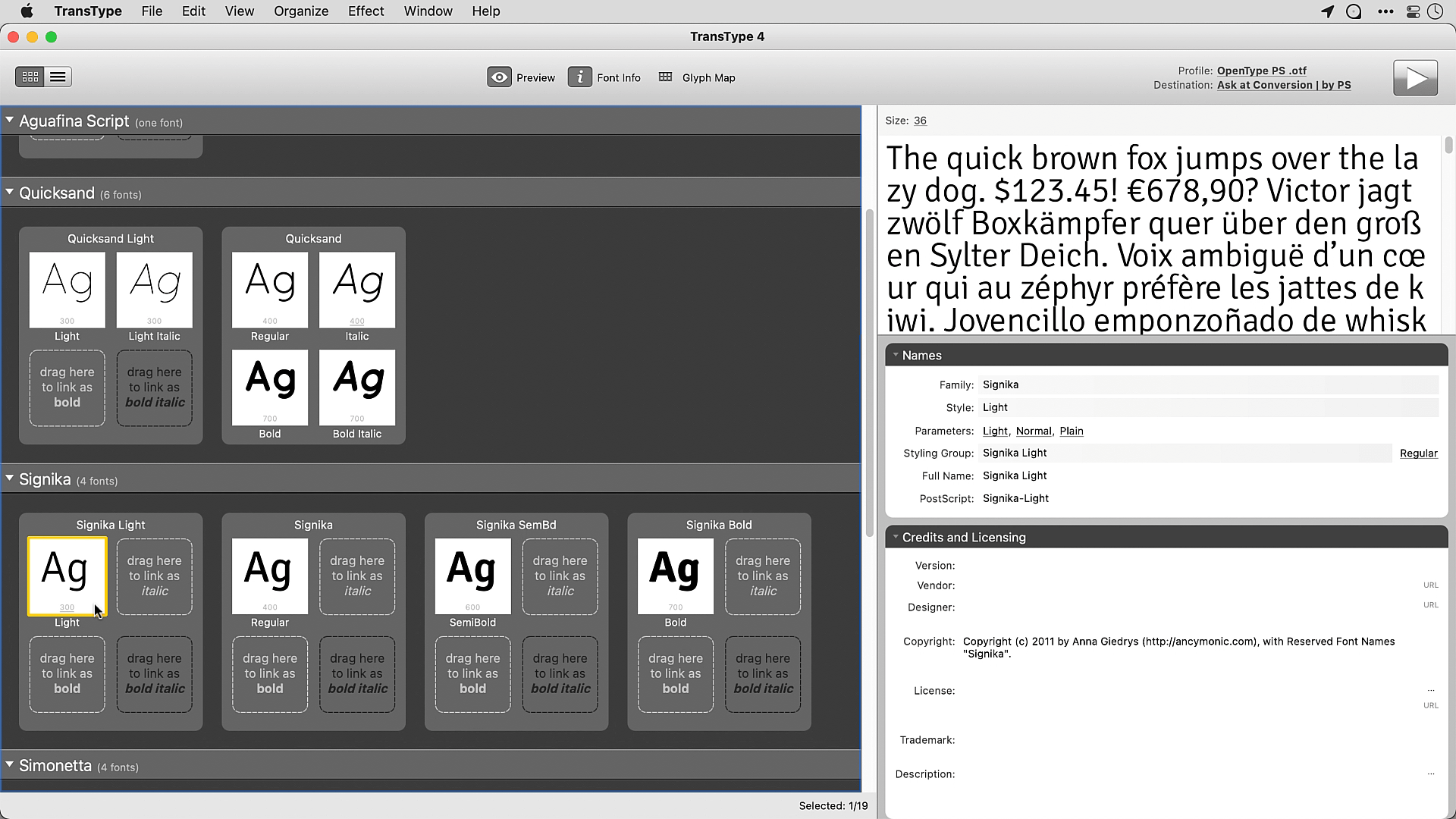
TransType 4 shipped in 2013 to solve exactly this problem. Drag a folder of dusty Type 1 files in. The tool merges the 256-glyph fragments into one coherent OpenType. It rewrites the names so the family hangs together. It carries across as much kerning and metric data as the format gap allows. Out comes an OTF or TTF that modern apps will open without protest.
The clever part is what it does not do. It does not “improve” the outlines. It does not redraw anything. It moves a typeface from one container to another with the smallest amount of damage. That restraint is the whole product.
It is not a font editor. It is a moving van. The point is to relocate the typeface without scrambling the shelves.
The same engine had a side career in the early colour-font experiments — designers stacked monochrome fonts via TransType’s overlay feature into rough chromatic typefaces, years before COLRv1 was a settled standard. Duct tape, but the kind that holds.
A friendly note on licensing
Converting a font you bought in 1998 to a format you can use in 2026 sounds like a technical problem, and it is also a licensing question worth a moment of care.
Most Type 1 EULAs from the 1990s and early 2000s simply did not anticipate format conversion — they predate OpenType. Some explicitly forbid modifying the file; some say nothing; a handful permit conversion for personal use. The practical result in 2026 is that a designer with a perfectly legal old library and a brand-new copy of InDesign may land in a small grey area, sometimes complicated by the original foundry no longer being around to clarify.
The kind thing to do is read the EULA. Many foundries — Adobe, Linotype, Monotype, Bitstream’s successors — have published modern statements about format migration. Some offer free or discounted upgrades to OpenType for licensed users. Others ask you to repurchase. A few have generously accepted that the alternative is the file disappearing from active studios entirely, and chosen to keep the designs in working hands.
Where the answer is “yes, you may convert”, TransType is the practical tool. It does not strip embedding bits. It does not alter licence metadata. The new file is, technically and legally, a wrapper around the same design you paid for. Where the answer is “no”, license a current OpenType cut from the foundry. The conversion route was never about saving money. It was about not abandoning a typeface that had been doing real work for two decades.
TransType plus FontLab 8
For a one-shot rescue, TransType alone is enough. For a typeface you intend to keep working with, the pipeline is TransType 4 followed by FontLab 8.
TransType handles the format jump: Type 1 in, clean OpenType out, names sane, kerning intact. FontLab 8 picks up from there if the family needs more — extending the character set, adding OpenType features, building a variable cut, or just modernising the engineering so the font behaves on screens that did not exist when it was first cut.
The combination lets studios rescue 1990s typefaces without abandoning the years of design work locked inside the outlines and the kerning tables. The format changed. The work the font was doing did not. A careful conversion respects both.
Worth moving, worth keeping
A converter is supposed to be a footnote. TransType 4 keeps showing up in working studios because the typefaces inside the old Type 1 files are still doing real work — inside live identities, half-finished books, and active brand guidelines that took years to establish.
If a font is worth keeping, it is worth converting carefully. That is the whole brief, and it is a quietly satisfying one.