FontLab TV: design space basics
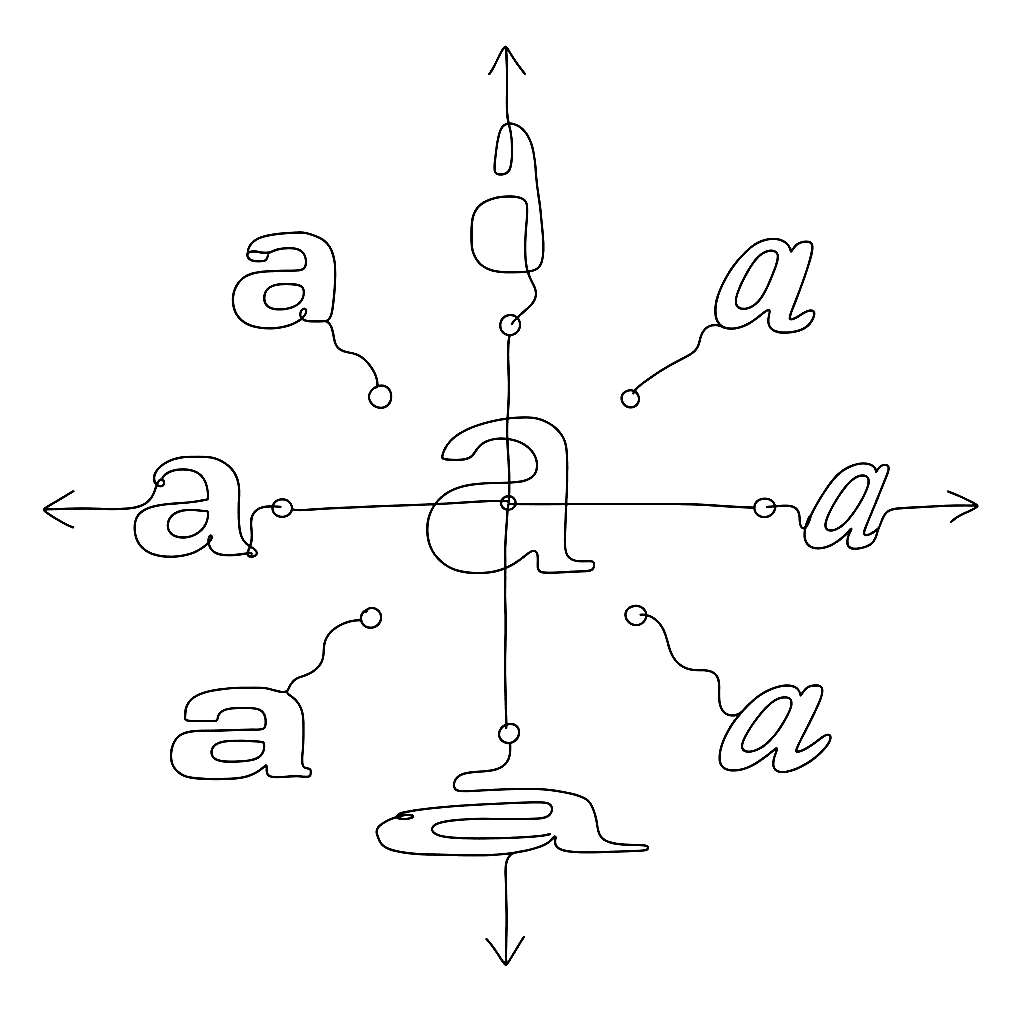
Design space is the part of variable font work that decides whether your font feels good or merely works. The FontLab TV design space episode is the conceptual foundation for everything you do with masters, axes, and instances.
What it covers
The space, not the masters. A design space is a coordinate system. Masters are points in it. Instances — what users see when they pick “Bold” or set a slider — are coordinates in that same space. Once you think this way, axis design starts to feel like a normal modeling problem.
Choosing axes. The five registered axes (Weight, Width, Italic, Slant, Optical Size) cover most cases, but custom axes solve things the registered ones cannot — XHGT for x-height, YOPQ for stroke contrast, the kind of thing the variable-font spec was designed to make extensible.
Master placement. Masters at the corners of the space define the linear interpolation. The episode shows when corners are enough and when you need an interior master to control a specific instance — for instance to keep the Bold from being mathematically the average of Light and Black.
Instance design. Named instances (Light, Regular, Bold, Black) are coordinates plus a name table entry. The video shows how to set up the STAT table so that operating systems and apps name your instances correctly in font menus.
Axis ranges and conditional substitution. A late-episode topic worth knowing about: the rclt and rvrn features let you substitute one glyph for another when the design space crosses a threshold. Useful for letterforms that need to change shape at certain weights.
Why it matters
Most variable font problems are design space problems. This episode is the framing that lets you debug VF behaviour by drawing diagrams instead of guessing.