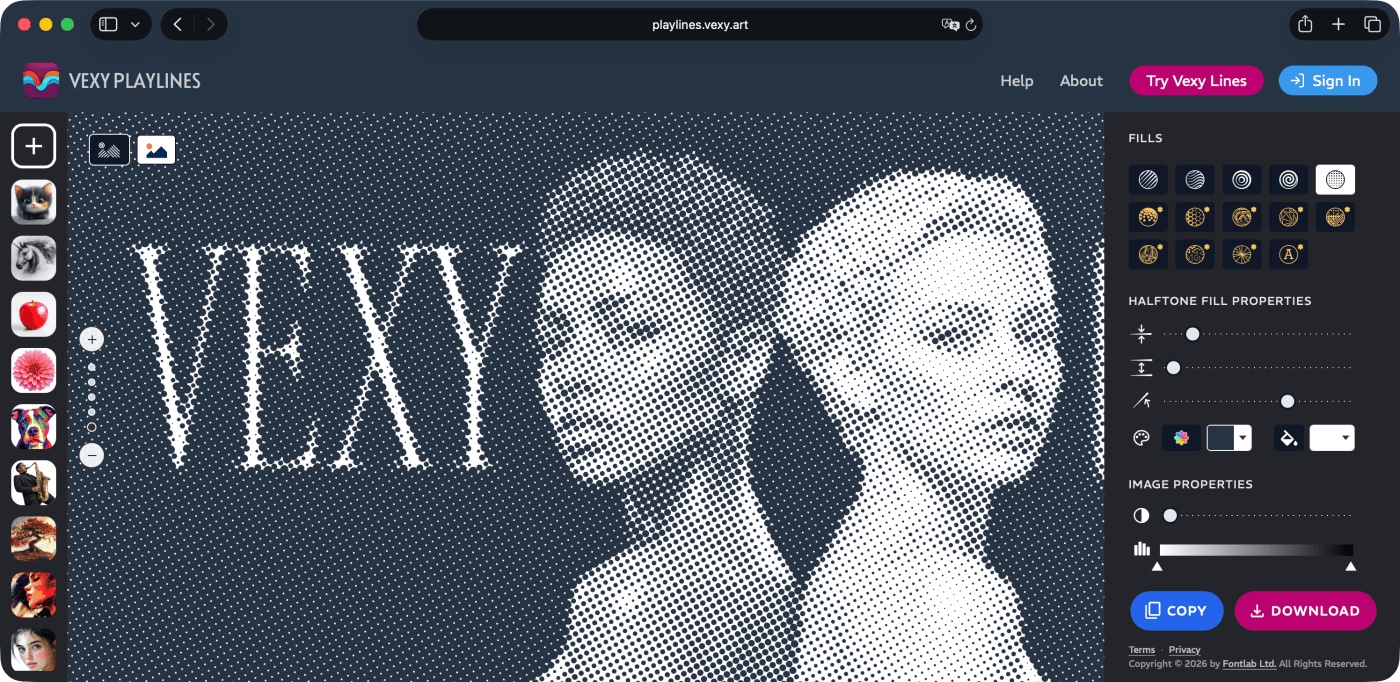
Make your pixels vexy. Play with lines.

Vexy Playlines turns any photo into vector art in the browser: drop an image, pick one of fourteen algorithmic fills, from classic linear or dotted halftones, to stipple, low-poly, wireframe, ASCII. Drag a slider or two, export SVG! Five fills are free with no sign-up, nothing to install; nine more unlock with a FontLab Pass. Try the quick little cousin of our Mac and Windows Vexy Lines app — built for the ten-minute detour that eats an afternoon.
Here’s a live example of Vexy Playlines running right here on this page: switch the fill, move the before-after splitter, and drag the patterns to change its parameters: left, right, up and down!
Playlines takes the pixels from a photo, reads the tone and the edges, and rebuilds the whole thing in front of you as lines or dots or typed characters while you watch. Nudge a parameter and it redraws instantly, so you’re never guessing, you’re steering. What comes out is a real vector file that scales to a phone or a billboard without going soft. But you don’t have to know any of that to enjoy it. Drag until the picture looks right, download it, then drop it into Photoshop or Affinity or PowerPoint.
Vexy Playlines ships with fourteen ways to see the same face. Stipple scatters thousands of dots like a pointillist who never needs a break; Low-Poly shatters the portrait into coloured triangles; Wireframe turns a person into a blueprint. Five of these fills are free for everyone, with SVG export and no sign-up.
The other nine fills unlock with a FontLab Pass. Each download costs a single Vexy Coin, no subscription. One photo, fourteen completely different looks. You’ll end up trying every single one!
Go do it with your own photo: you’ll have real vector art in less time than it took to read this post!