TransType 5: every style of your variable fonts, in every app
Your variable font holds hundreds of styles. Word shows you nine. Some apps show you one. Drop it into TransType 5, add any instance you want, click Convert: every style lands in your font menus, ready to use. 10 conversions are free!
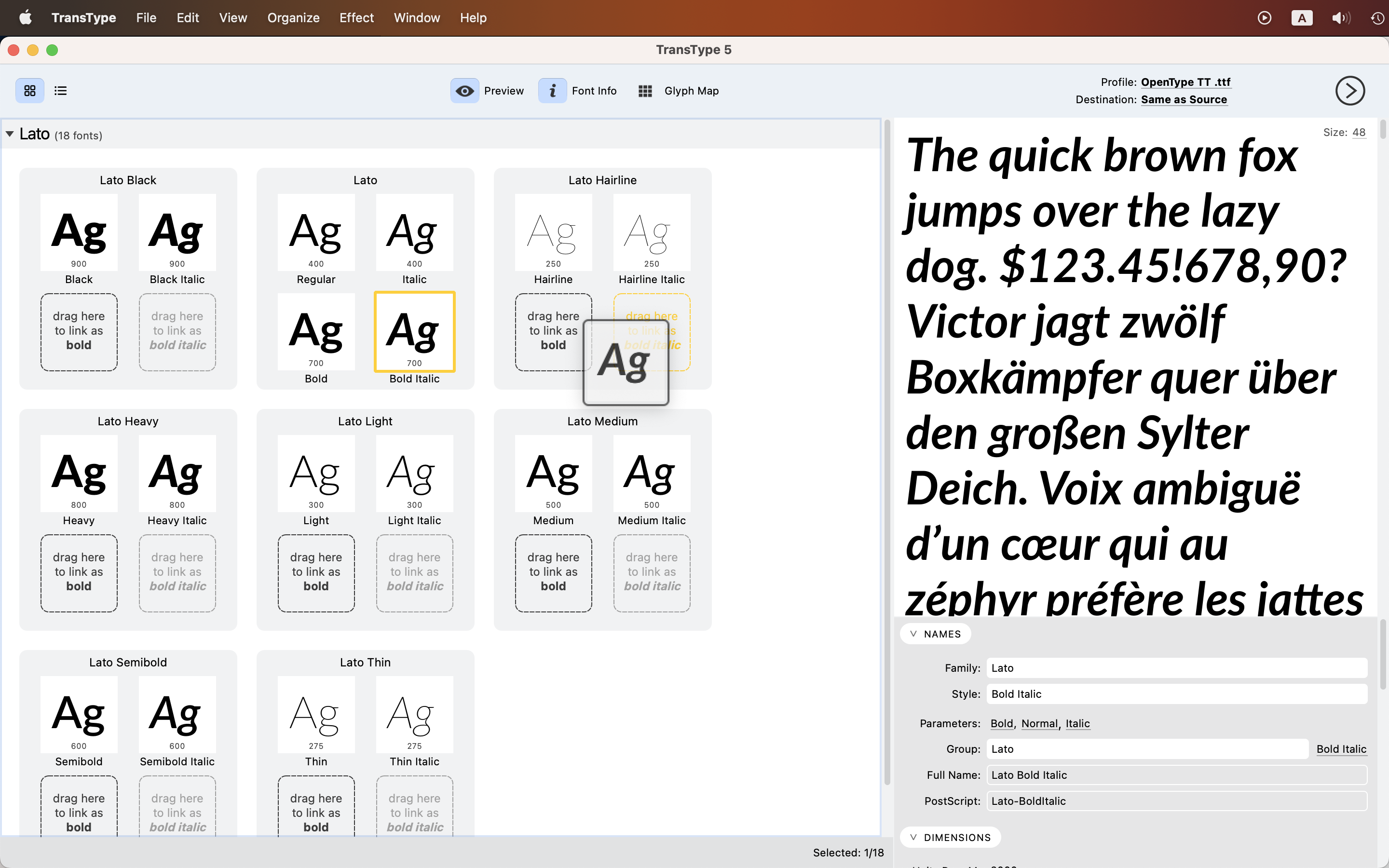
A variable font holds hundreds of styles. Your app shows you nine, or four, or one lonely Regular.
TransType 5 converts any of them into ordinary static fonts. Drop fonts in, pick a format, click Convert. TransType handles the naming, the grouping, and batches of hundreds. TransType opens variable fonts, sources from every font editor worth naming, and even the old archives you’ve been carrying since the format wars.
In 2016, we helped create the variable OpenType format. In the ten years since, variable fonts have spread into the catalogs, the browsers, and the newer design apps. Using one everywhere, in every app you own, turned out to be a different story. That is the story TransType 5 finishes.
The styles your apps cannot see
Foundries have released more than 5,000 variable font families, over 500 of them open-source. Each one is a small warehouse. The vendor names a handful of styles as predefined instances, up to 9 weights, up to 5 widths, maybe 3 optical sizes, while hundreds of in-between styles sit in the same file, fully drawn and fully usable.
Whether you can reach them depends on what you are running. Adobe Illustrator lets you choose any in-between instance since 2018, Photoshop since 2019, InDesign since 2020, After Effects and QuarkXPress since 2026, and recent versions of Affinity, Sketch and CorelDRAW can do it too. You can use CSS font-variation-settings in Chrome, Edge and Firefox.
However, Microsoft Word, PowerPoint, Apple Keynote, Pages, Motion and DaVinci Resolve show only the styles the foundry chose to name. Plenty of older apps show exactly one, the default. Even if the font contains a Black Condensed, the menu only offers Regular.
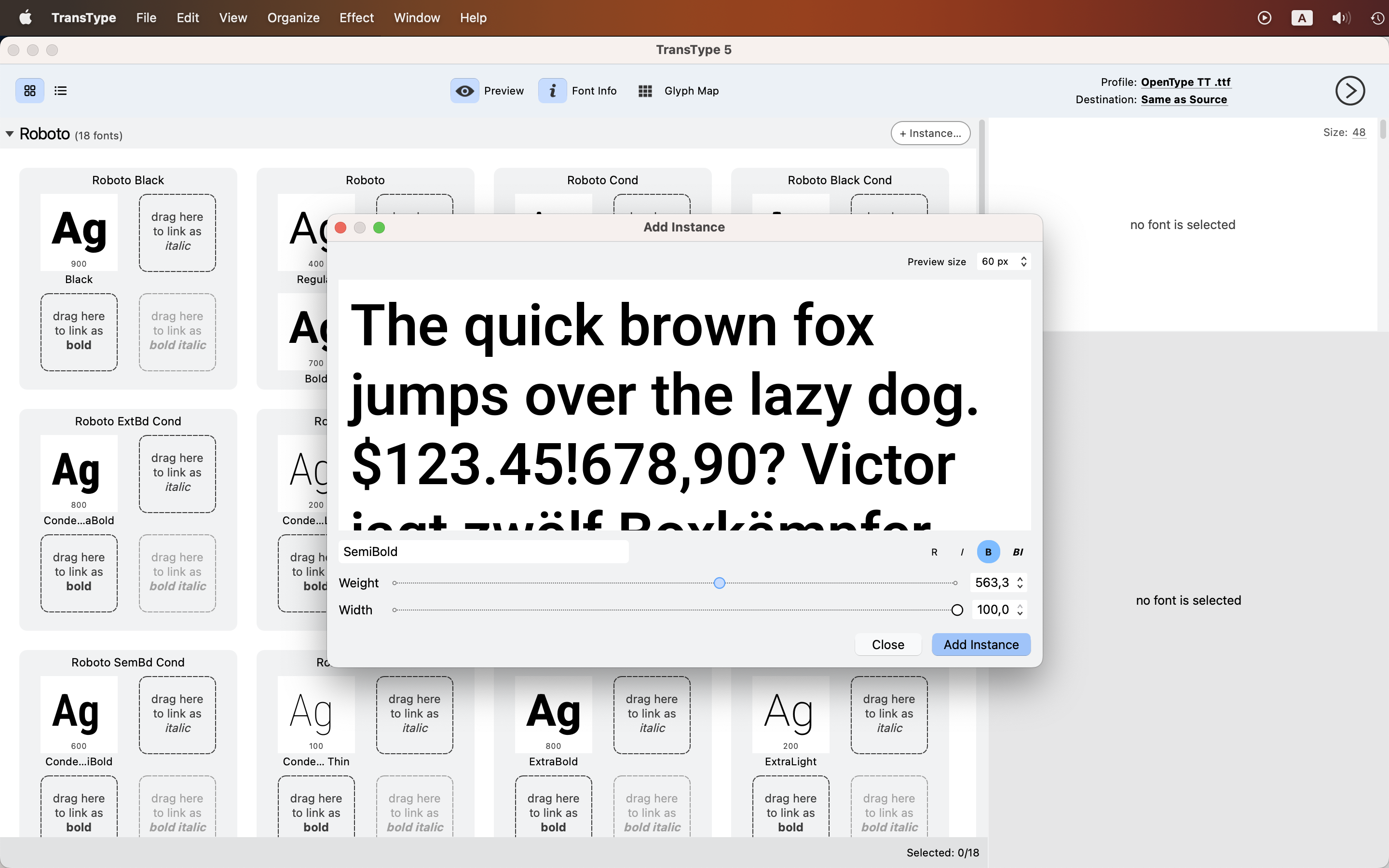
Add a variable font to TransType 5 and every predefined named instance appears as a standalone static font, ready to export. If you want a style nobody named, choose File > Add Instance or click + Instance in the family bar, then add as many arbitrary in-between instances as you like.
Organize them into typographic families, styles, style groups and styling links, turn on Install Fonts in the Destination dropdown, and click Convert. After a while every instance appears in the font menus of your apps. You may need to restart an app before it notices.
The same works for font editor sources: TransType 5 opens projects saved in FontLab, TypeTool, Fontographer, RoboFont, Glyphs and FontForge.
The formats your system cannot use
TransType 4 already opened OpenType PS and TT, TrueType Collections, Type 1, WOFF, UFO, VFB, SVG fonts and ZIP archives.
TransType 5 adds variable OpenType TT (.ttf with a gvar table), variable OpenType PS (.otf with CFF2), color OpenType with COLR v1, WOFF2, compressed UFO (.ufoz), DesignSpace with UFO or UFOZ, FontLab .vfc and .vfj, Fontographer .fog, Glyphs .glyphs and .glyphspackage, and FontForge .sfd.
If it holds letters, chances are TransType opens it — and can convert it to something your system can use.
The language you speak
The interface ships experimental localization into German, Spanish and French, with more languages to come. You can switch between them in Preferences.
The format your browser prefers
Previously, web output meant WOFF plus EOT. Some browsers supported one, some used the other. But for many years now, WOFF2 is the one format supported by all current browsers.
Any export into the Webfont PS or Webfont TT profile now includes WOFF2: smaller files, supported by the browsers your visitors actually use, packaged with sample CSS and HTML ready to drop into a site.
For most projects, it’s the only web font format you need. But you still get WOFF and EOT for the rare birds. Browsers.
Color fonts, four flavors, your choice
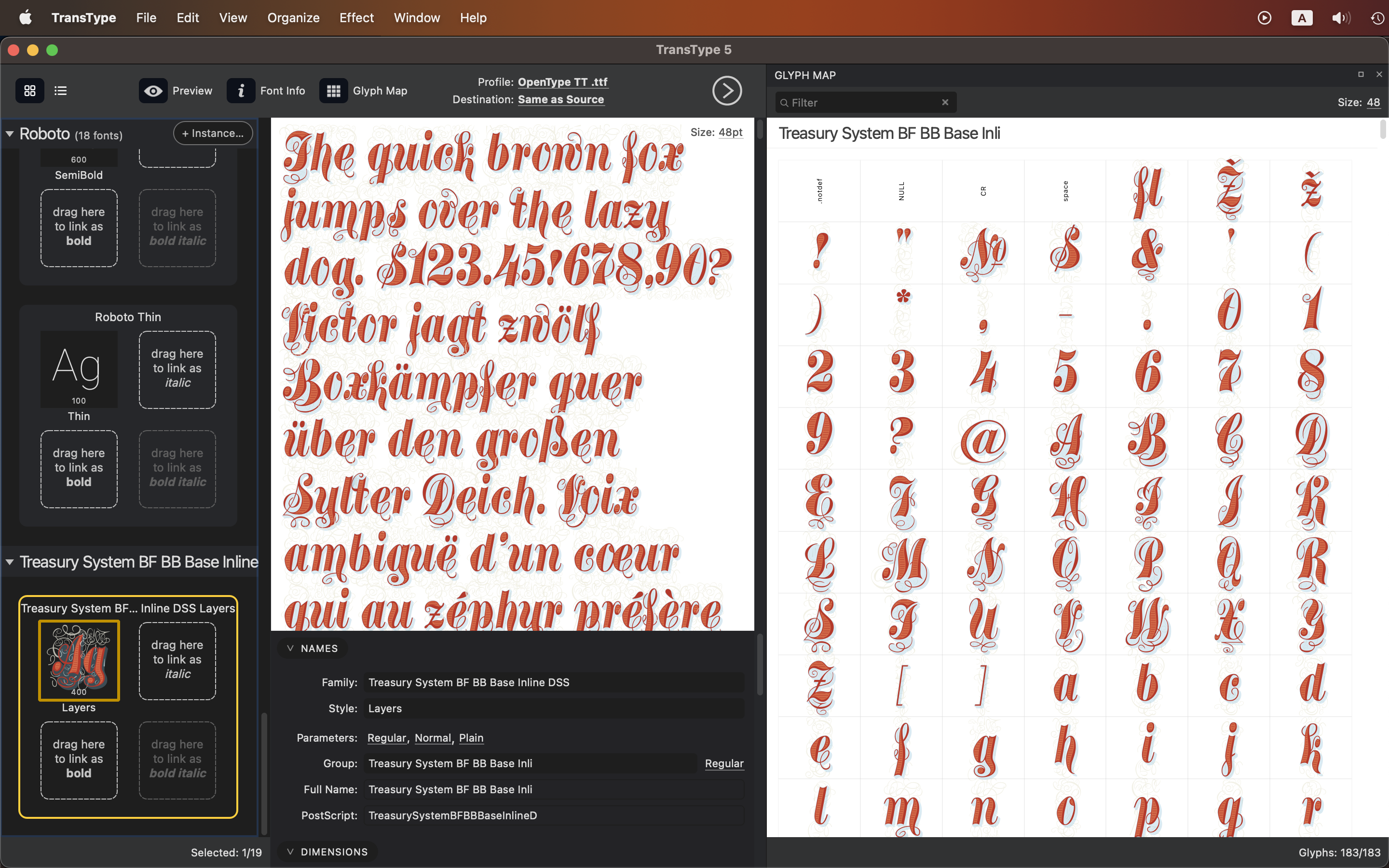
TransType 5 exports color fonts better across the board, and you can turn each flavor on or off independently.
SVGis the most expressive flavor and can mix vector and bitmap. It works in macOS, iOS, Windows to some extent, Safari, Firefox, and some Adobe Creative Cloud apps.COLRoverlays and colorizes monochrome glyphs dynamically. Version 0 handles flat colors and also works in macOS, iOS and Safari; version 1 handles gradients, and TransType exports v1 when your source has them.sbixis the bitmap flavor. The Pixels Per eM setting controls the rasterization resolution, and a large PPM makes very large files.CBDTis the legacy bitmap flavor for old Android devices. Typically keep it off.
Control over what comes out
Four settings in Preferences do most of the work.
Composites turns repeating outlines into composites when you convert OpenType PS or Type 1 into OpenType TT, so the fonts come out smaller with no quality loss. Leave it on.
Kerning turns repeated flat pair kerning into class kerning if you convert from editor sources, which also makes fonts smaller.
Linespacing recalculates ascender, descender and line gap when fonts space inconsistently across apps. If you want a different line height, especially for apps that expose no line-height setting, tweak those three values in the Dimensions section of the Font Info panel.
TrueType instructions picks how screen quality is handled. TTFautohint works best in most cases. FontLab can sharpen thin sanserifs at very small sizes. No instructions makes smaller files and suits complex, organic or randomized designs used large.
If a font arrives with poor kerning or no kerning at all, choose Effect > Auto Kerning and TransType calculates it in place before you export.
Obliques, corrected
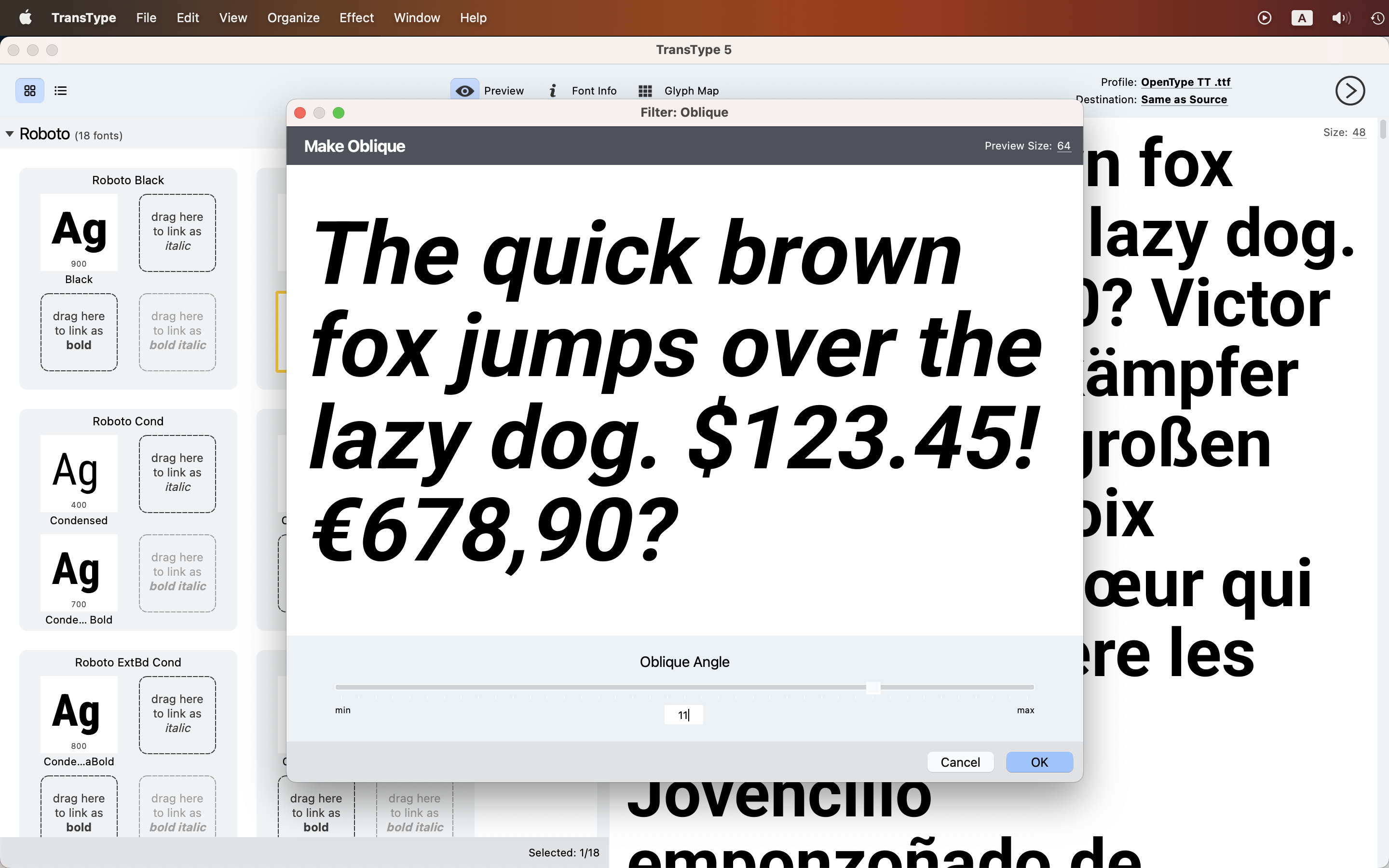
TransType has offered a Slant filter for years: a plain geometric skew, honest about what it is. TransType 5 adds an Oblique effect that applies algorithmic correction to the slanting distortions. TransType-made obliques are no match for the optical corrections an experienced type designer would draw, and they are often better than a simple Slant.
The new Shadow effect builds a font variant with a vector drop shadow and an optional outline. It works well by itself, but you can also Overlay it with the source font to export a color font.
A new engine underneath
Previously, TransType shared its technical underpinnings with FontLab VI. TransType 5 moves to FontLab’s newest codebase that has more than 1,500 improvements. You won’t see most of them directly, but you’ll feel them in the formats it opens, in the quality of the export, and in how TransType behaves on your system.
TransType for Mac
TransType 4 will no longer work on macOS 28, which is expected to ship in late 2027. It will continue to work on older systems.
The new TransType 5 works great on macOS 11 Big Sur and newer, and it will on macOS 28 and beyond. It’s a modern universal app, native on Apple silicon.
Everything TransType has always done
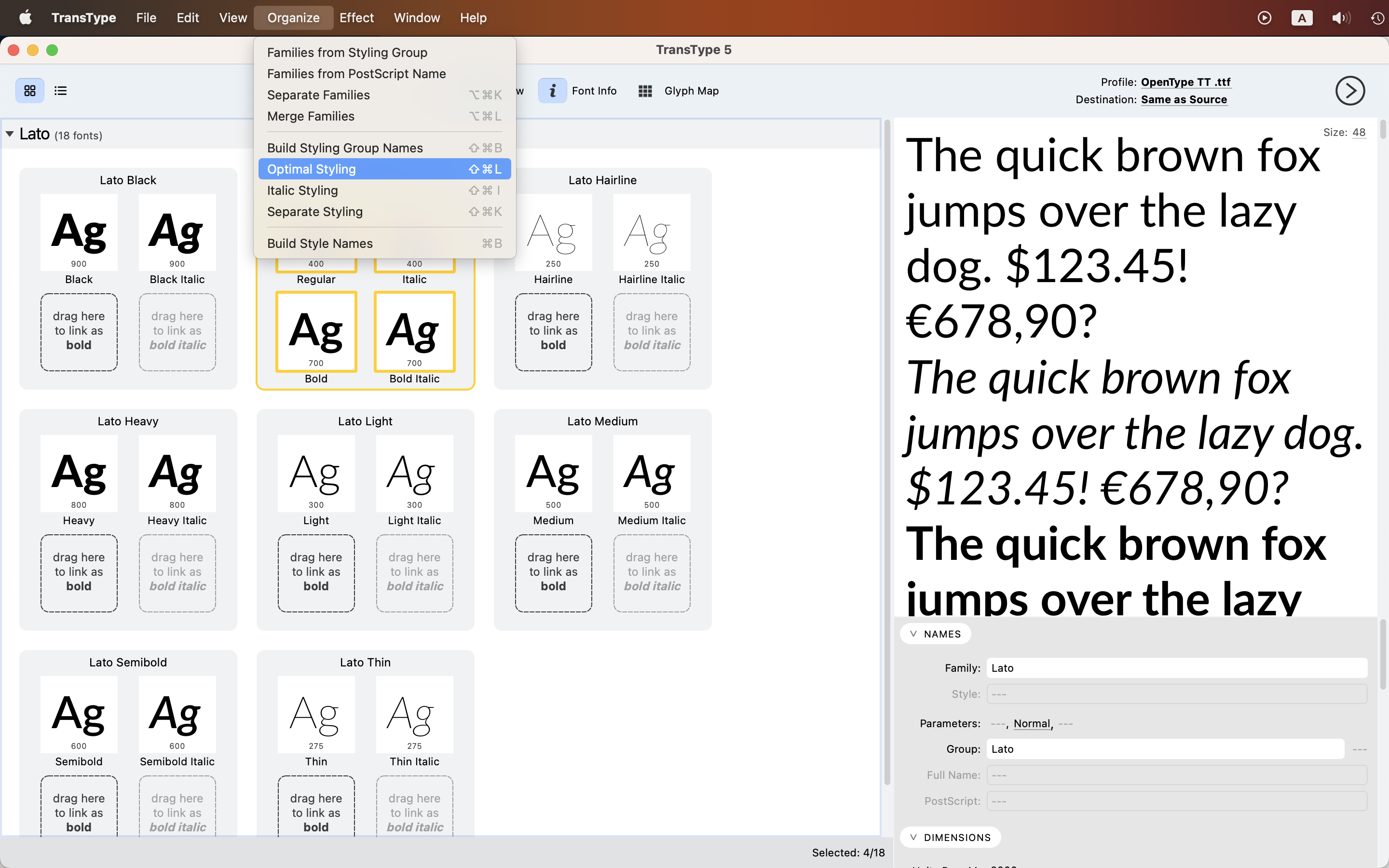
- Convert between desktop, web and font-development formats, in batches. Old Type 1 archives come along too.
- Install same-named fonts from different vendors. Normally your system keeps one and quietly hides the other: no error, no note, one Garamond. Rename the family in TransType first, and both live side by side.
- Reorganize families by drag and drop. Move styles between families, edit names in place, and let TransType build the style links so the Bold and Italic buttons in older apps do what they say.
- Play. Blend two weights into the Medium a family never had. Hardwire tracking. Round corners, add outlines, cast shadows, stack fonts into layered color type. The filters will not replace a type designer and do not claim to, but an afternoon disappears fast.
Read the license first!
Many foundries’ End-User License Agreements (EULA) disallow font conversion, even for your own use, and webfont conversion in particular. Copyright laws in some countries may allow you to convert a font if this conversion is necessary to use the fonts for its intended purpose, or to make it work with other software. And open-source licenses like Apache 2 or OFL allow conversion and modification.
You should read, understand and interpret the law and the license yourself, or consult a legal professional. When in doubt, always ask the font vendor first.
Get TransType 5
You can perform 10 conversions in TransType 5 for free. Need more?
Get TransType 5 lifetime license for €$ 99 →
Have an older TransType? Upgrade now for €$ 40 (short-term offer!), or later for €$ 50. Bought TransType 4 in 2026? Your upgrade to TransType 5 is free!
Your upgrade code is the first 13 characters of your old TR serial number, without spaces. Enter it in the Coupon Code field at checkout.